
Before you begin
What you’ll need for your homeschool evaluation
A quick welcome from The Homeschool Evaluator, plus a simple list of what to have ready. Watch the video, then scroll down for the checklist and photo examples.
The checklist
What you’ll need to gather
Four things, and none of them take long. Pull them together at your own pace. Examples for the photos are in the next section.
Everyone homeschools differently and we get that. Use this as a chance to show what your student did this year. Keep it simple, and before you know it, you’ll be done and on your way!
-
Subjects studied
A brief summary of what your student worked on this year. Nothing formal, even one or two sentences is plenty.
-
Book & author list
Three (3) titles from your student’s reading this year, with authors. That’s all that’s needed for the evaluation.
-
Student interview
A quick set of questions for your student. They’re included right on the evaluation form, so you can answer them together as you go.
-
Three to four photos
Snapshots of portfolios, materials, and/or projects to upload. Only 3–4 are needed, and the examples below show what works.
Photo examples
Four simple photo examples
These examples show what works. When your photos look like one of the examples below, our evaluators can review your submission and return it noticeably faster.
Picture 1 of 4
Daily log or calendar showing 180 days
One photo of a daily log or a calendar, whichever you already keep, showing your student completed 180 days of instruction (900 hours for elementary, 990 for secondary).
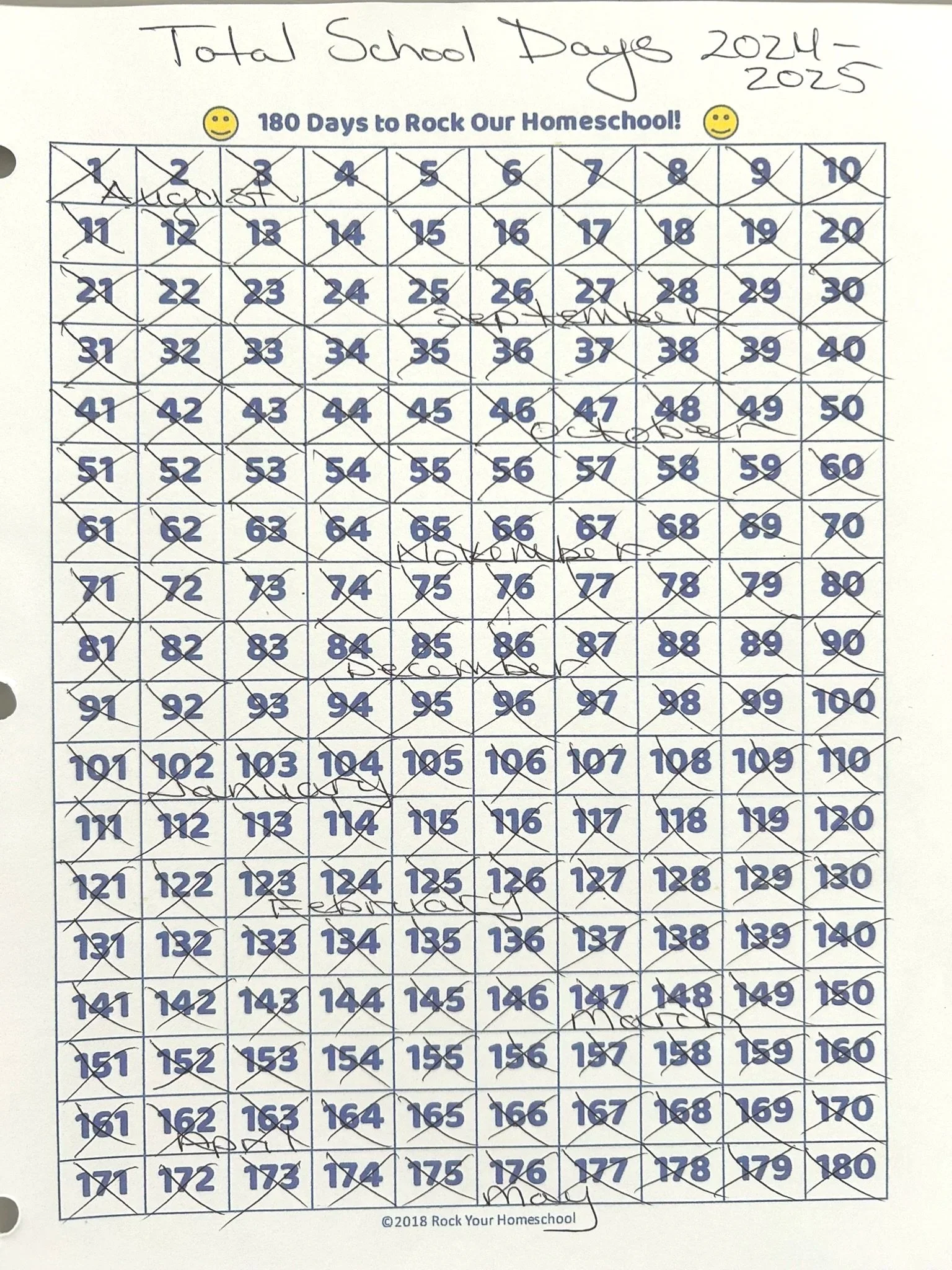
Example 1 · Daily log
180-day tally sheet
A printable 1–180 tally chart with days crossed off. One clean photo captures the whole year at a glance.
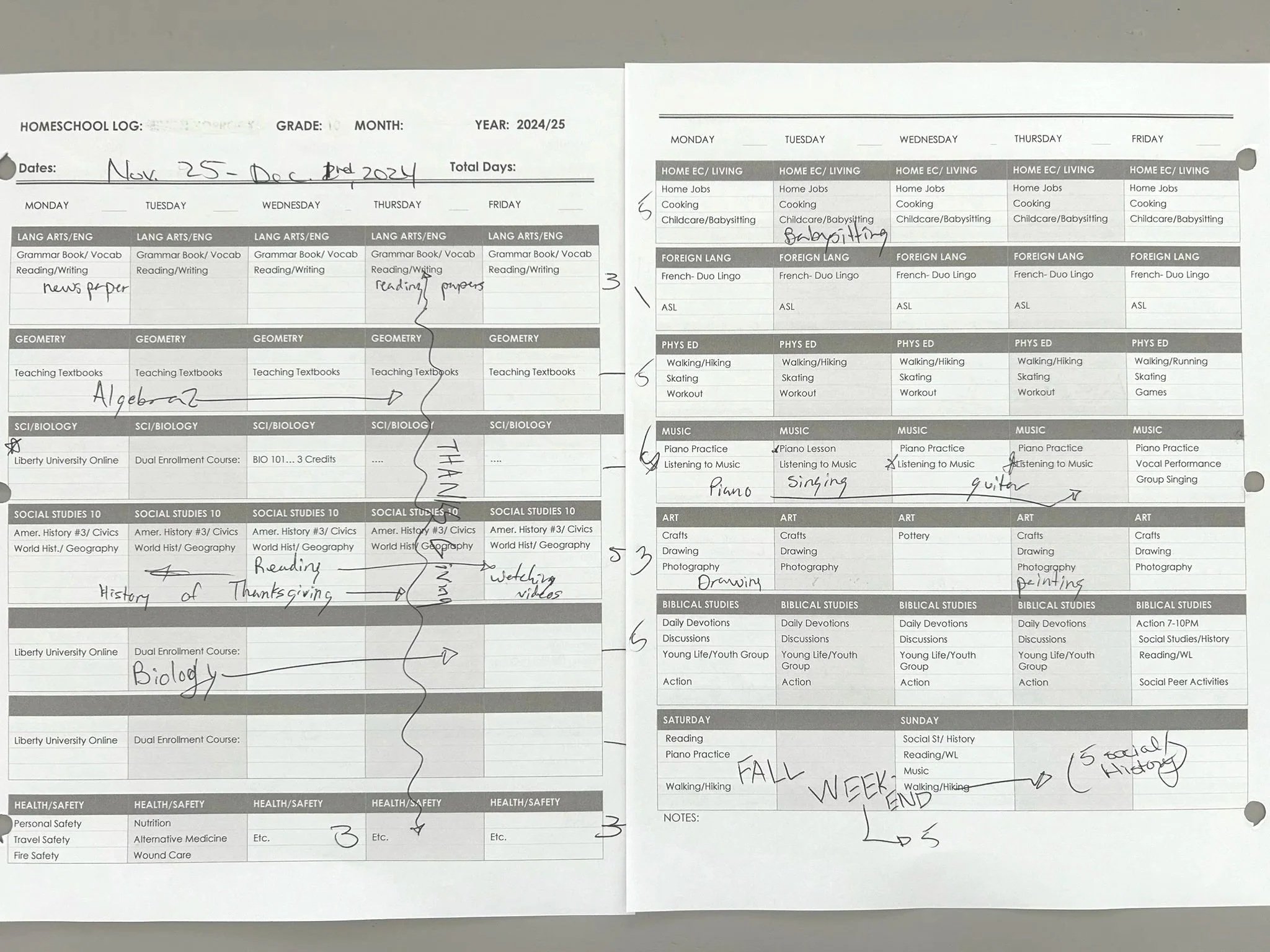
Example 2 · Calendar / planner
Weekly planner with subjects
A filled-in weekly planner or calendar showing subjects, lessons, and dates works just as well as a day-count tally.
Picture 2 of 4
A sample of books, materials & projects
One photo of the books, materials, and projects your student used this year, laid out flat so everything is visible in a single shot. Any of these layouts work:
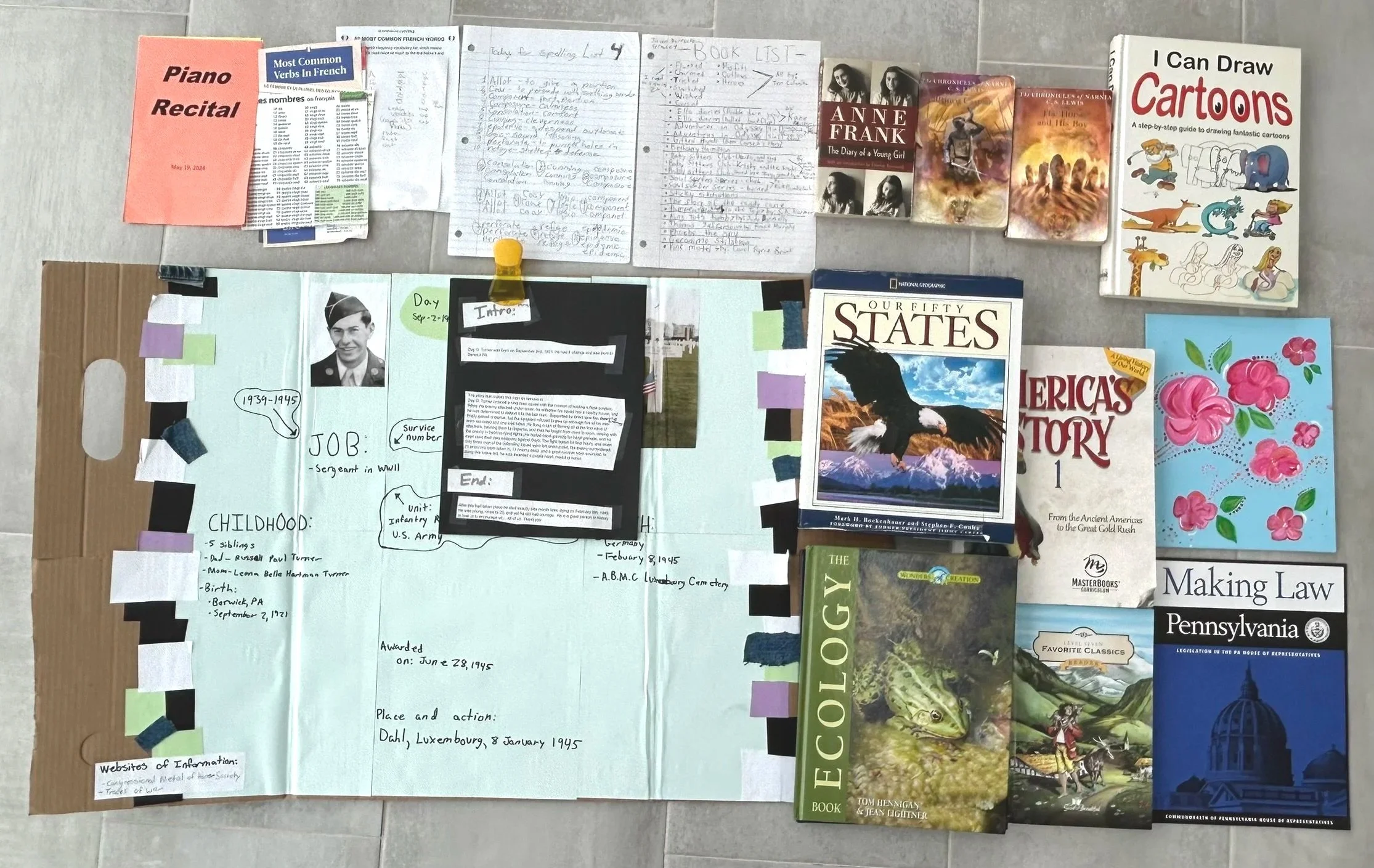
Example 1 · Traditional
Textbooks & printed materials
Gather any textbooks, workbooks, or projects your student used or completed. Lay out what you have so titles or project details are visible, then take one overhead photo.
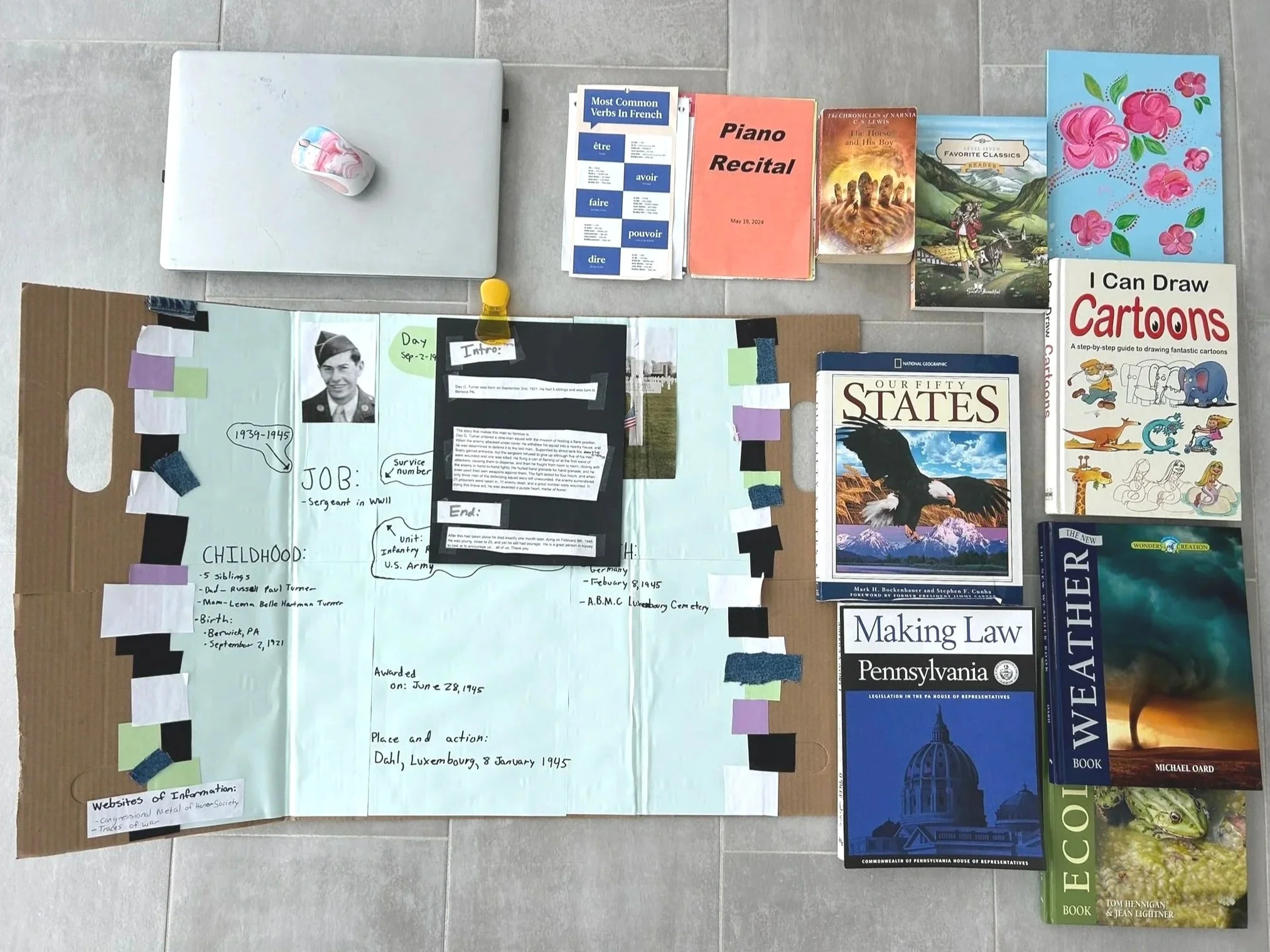
Example 2 · Traditional and Online Classes
Textbooks, Projects & Device
Gather any textbooks, workbooks, or projects your student used or completed. Lay out what you have with the computer or device visible, then take one overhead photo.

Example 3 · Online classes only
Laptop & learning setup
For online-only learners, a clean shot of the laptop and workspace is enough. The portfolio photo will cover the course list and printed work.
Picture 3 of 4
Portfolio samples and online course list
One photo of a portfolio with samples of your student’s work. If they took online classes, include a copy of the course list or transcript in the same shot.
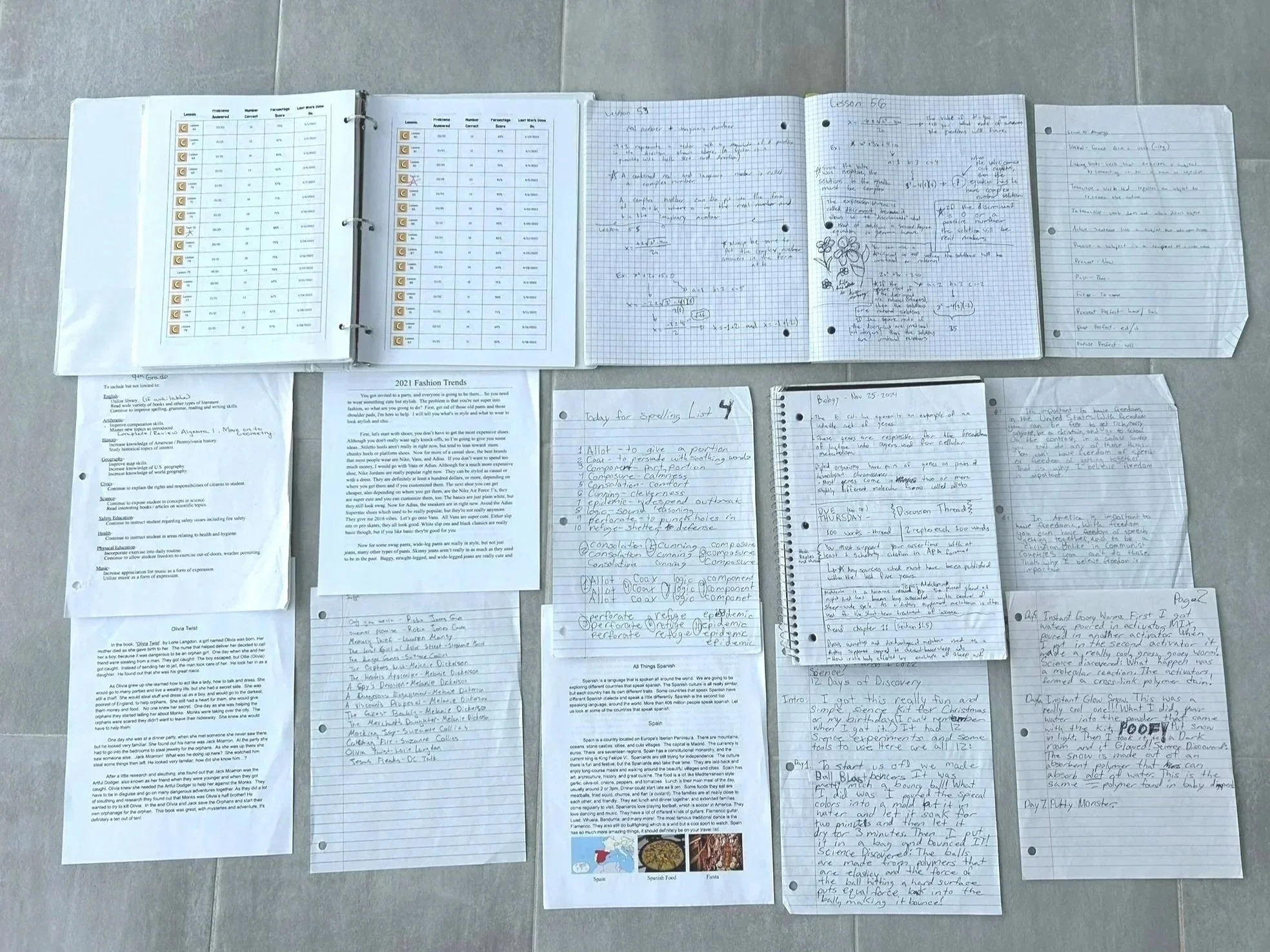
Example 1 · Traditional, no online classes
Worksheets & Student Work
Gather any finished worksheets, assignments, or other completed student work. Spread what you have flat in one frame to show your student’s portfolio of work from the year.
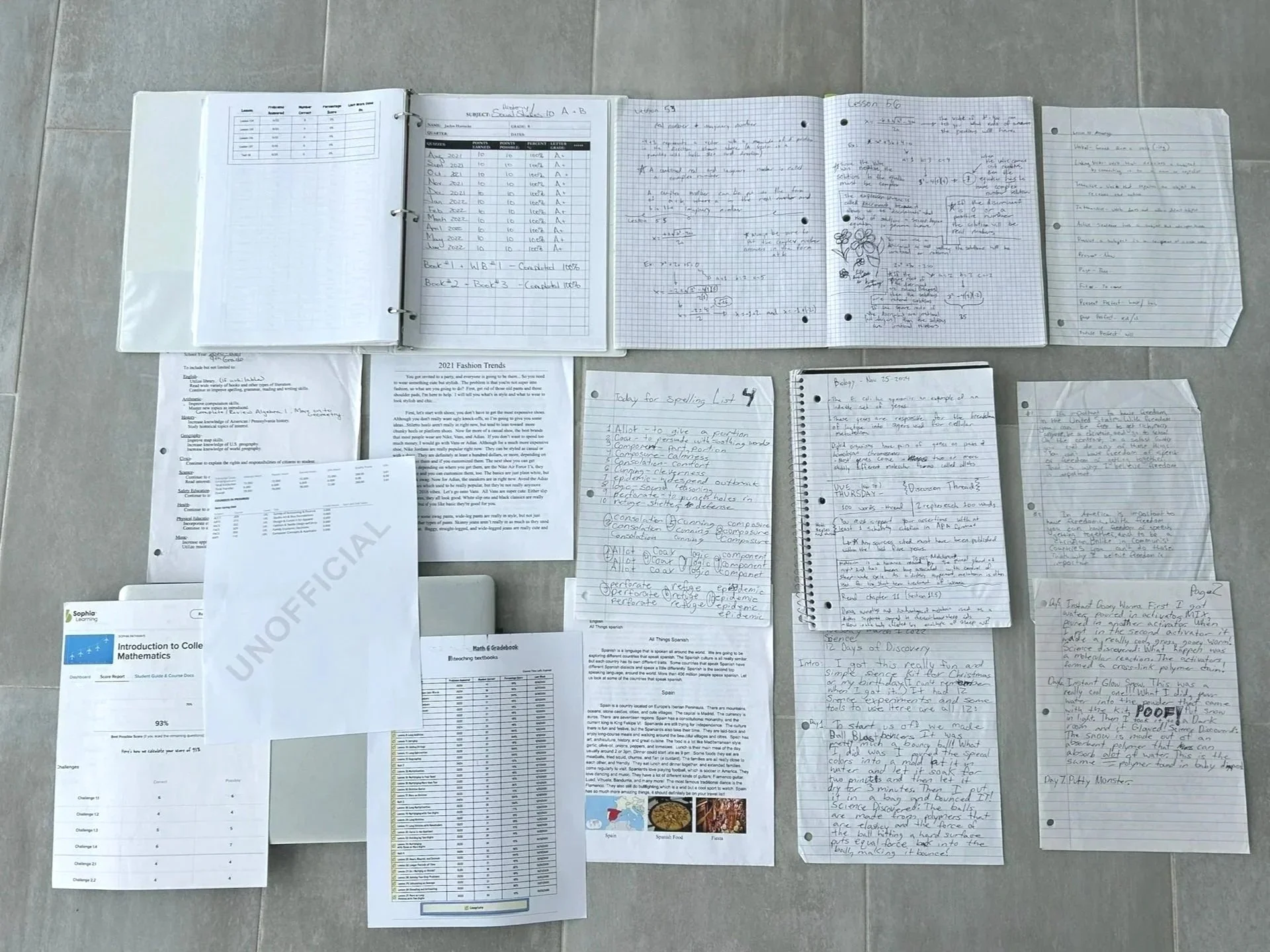
Example 2 · Traditional and Online Classes
Worksheets, Student Work & Computer
Gather any finished worksheets, assignments, or other completed student work. Spread what you have flat with the computer or device visible in one frame to show your student’s portfolio of work from the year.
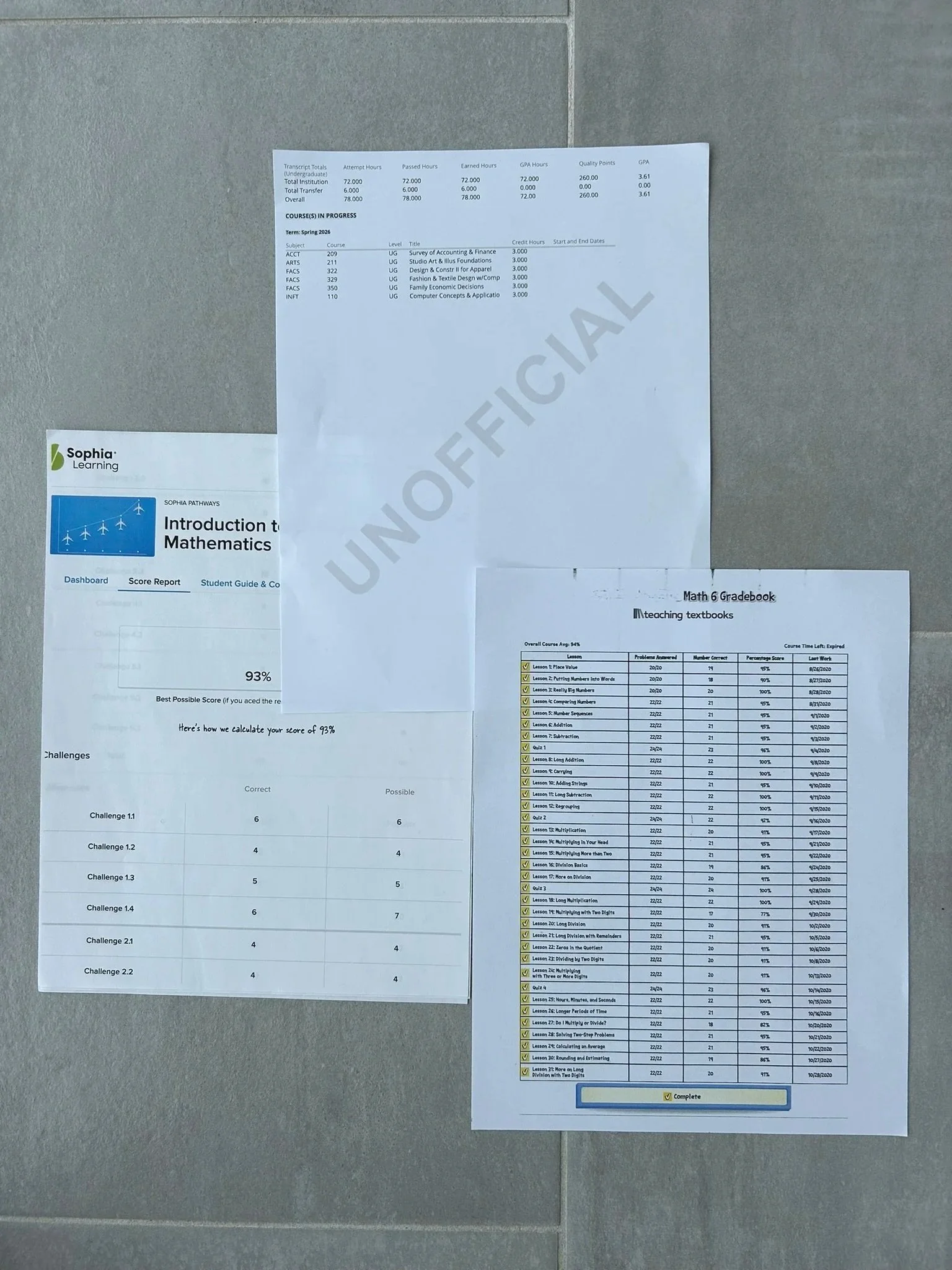
Example 3 · Online classes only
Transcripts & progress reports
Print the transcript, progress report, and any end-of-course summary from the online platform. One photo of the stack is all that’s needed.
Picture 4 of 4 · PA only
Standardized test scores
One photo of your student’s completed scores from a state-approved standardized achievement test. This is only needed in Pennsylvania for 3rd, 5th, and 8th grade.
Only needed for three grade levels
If your student isn’t in one of these grades, skip this picture entirely. If they are, upload a photo or scan of the completed score report from any state-approved testing source.
- 3rd grade
- 5th grade
- 8th grade
Ready to begin your evaluation?
Gather your photos and book list, then take the next step. Our team will keep the process moving as quickly as possible.
Begin the evaluation